
Finger Joint Box Generator for CorelDRAW
Create ready-to-cut finger joint boxes for MDF, plywood and acrylic in seconds — plus finger-jointed faces and edges for any shape, letter or logo.
Quick answer
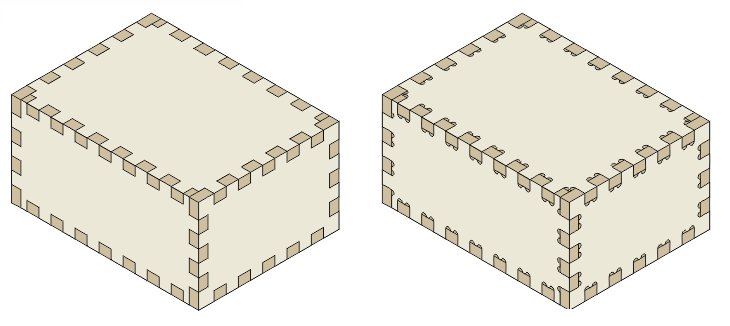
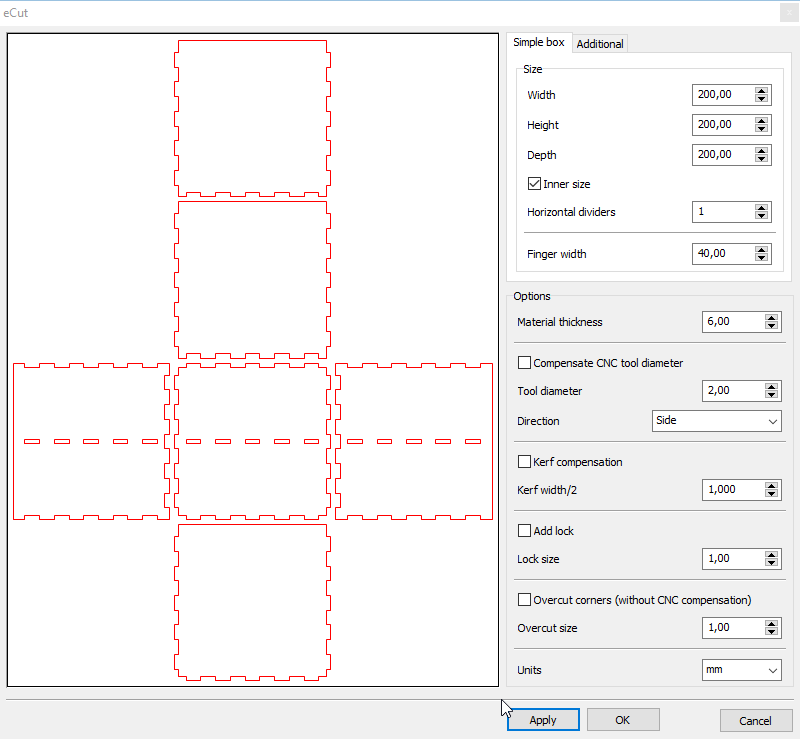
Open eCut → Finger joint box, enter the box size, finger (joint) size and material thickness, and click Apply. eCut draws every panel with matching fingers. For a CNC router it can compensate the tool diameter; for lasers it adds corner overcut and optional locks.
What it does
Boxes in seconds
Give the box, joint and material sizes and eCut lays out all the panels with interlocking fingers.
CNC tool compensation
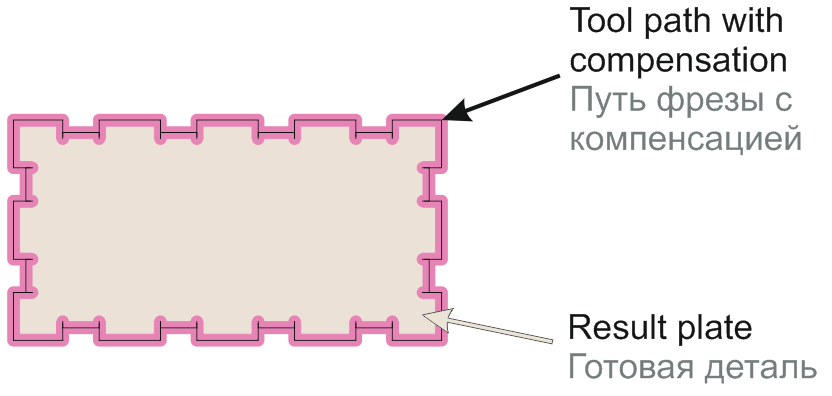
For milling machines, eCut offsets the path by the tool diameter so all edges of the box fit.
Laser overcut and locks
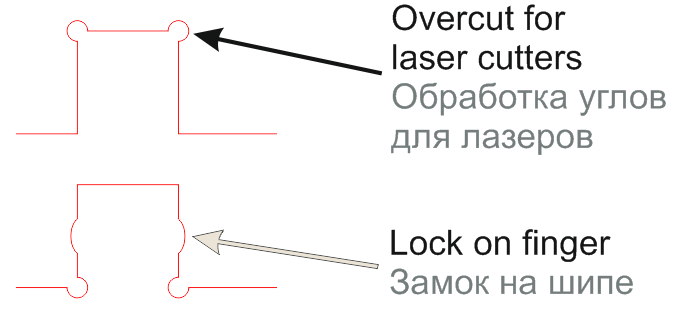
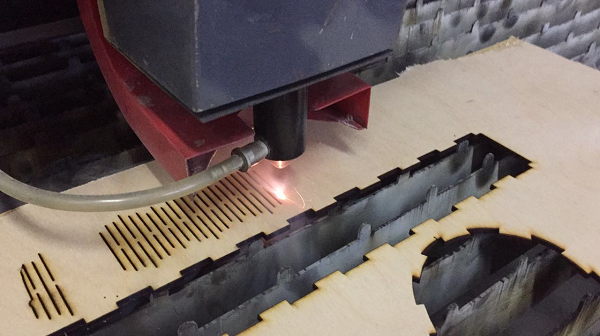
Corner overcut for laser cutters, and optional locks on the fingers so the box holds together.
Finger joint any shape
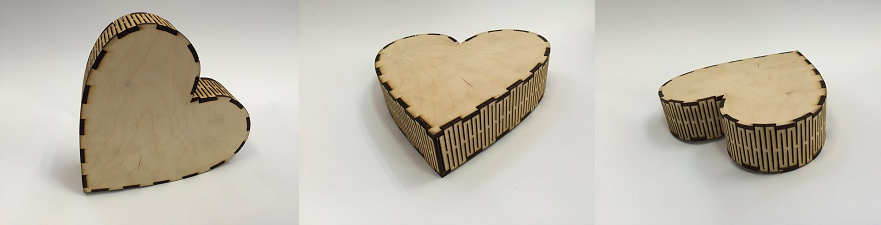
The Finger joint shape tool builds a face and edge for any outline — hearts, letters, logos — with slots, bending compensation and per-letter processing. Great for plywood letters and gift boxes.
How to use it
- 1Open eCut → Finger joint box.
- 2Enter box width, height and depth, finger size and material thickness.
- 3Choose CNC tool compensation or laser overcut and locks if needed.
- 4Click Apply — all panels are drawn in CorelDRAW, ready to nest and cut.
New to eCut? Install it in CorelDRAW first — it takes about 10 minutes.
Screenshots
Who it's for
- Laser cutting shops making MDF and plywood boxes
- Gift, packaging and decor makers
- CNC router workshops cutting jointed panels
- Sign makers building 3D letters with finger-jointed edges
Part of one eCut license
This tool comes with eCut together with true-shape nesting and 40+ other functions — one lifetime license (₹8,500), CorelDRAW X3–2026, free AnyDesk setup in India. See all functions.
Questions
How do I make a finger joint box in CorelDRAW?
Install the eCut plugin, open Finger joint box, enter the box size, finger size and material thickness, and click Apply. eCut draws all the panels with matching fingers, ready to cut.
Does it work for CNC routers as well as lasers?
Yes. For CNC routers eCut compensates the tool diameter so the joints fit; for lasers it can add corner overcut and locks.
Can I finger-joint letters or curved shapes?
Yes. eCut’s Finger joint shape tool creates a face and a finger-jointed edge for any outline, with options for slots, bending compensation and finger size.
Something else? Ask us on WhatsApp — we can show it on your own file over AnyDesk.
More eCut tools
Try finger joint box on your own files
Free 4-day demo with every function, or buy the genuine lifetime license.