
What is eCut nesting software for CorelDRAW?
eCut nesting software is a CorelDRAW plugin that automatically places and rotates shapes on a sheet using true-shape algorithms so vinyl, acrylic, ACP, and plywood shops waste less material.
Pack complex cut paths on acrylic, ACP, plywood, and vinyl sheets inside CorelDRAW — less waste, faster layout, same file you already edit.
What true-shape nesting does
eCut nesting reads selected CorelDRAW curves and places them on a rectangular or roll sheet using true-shape geometry (not only bounding boxes). Parts can rotate within your rules, keep tool offsets, and leave printable or cuttable gaps — typically cutting material use by about 15–30% versus hand layout.
CorelDRAW
X3–2026
Platform
Windows + VBA
Yield
15–30% savings
India price
₹8,500
Headline price ₹8,500 with coupon ECUTINDIA (MRP ₹12,000). Need a GST invoice? GST-registered orders are invoiced by FixeSoft Technologies at ₹9,999 incl. GST — choose that at checkout.
Same CorelDRAW document — no export round-trip before nesting.
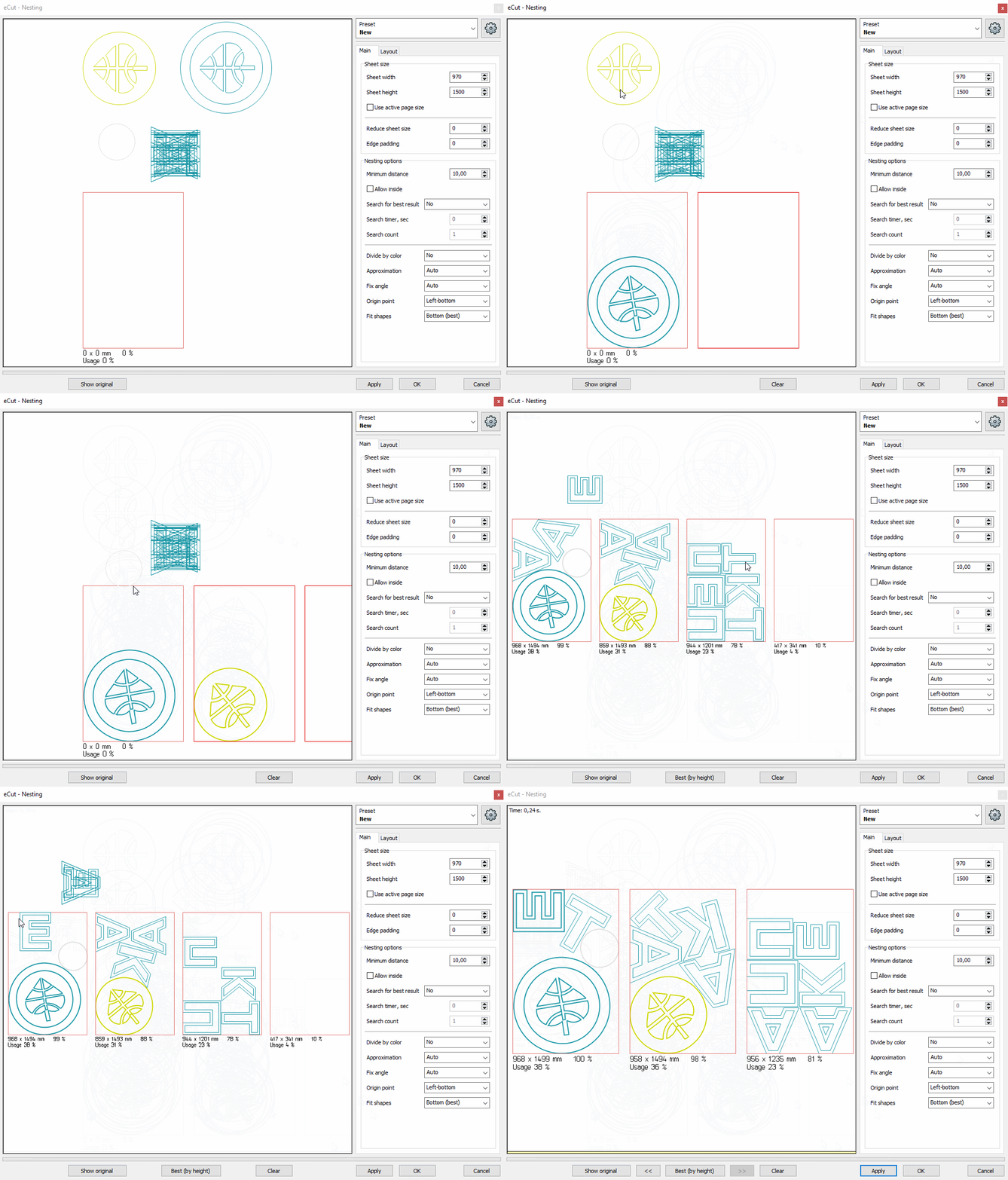
Seven loose parts across two sheets. Watch true-shape nesting rotate and pack them onto one.
2 sheets
loose hand layout
1 sheet
true-shape packed
Illustration only. Real savings depend on your part shapes, gaps, and rotation rules. Shops typically see about 15–30% less material than with hand layout.
Built for Indian signage and fabrication shops — not a standalone nesting desktop app.
Nest letter faces and backs on standard acrylic sheets before laser or CNC.
Pack façade letters and panels with controlled spacing for router bits.
True-shape layout for furniture and display parts before G-code export.
Optimize plotter jobs so weeded film and print-cut nests use less material.
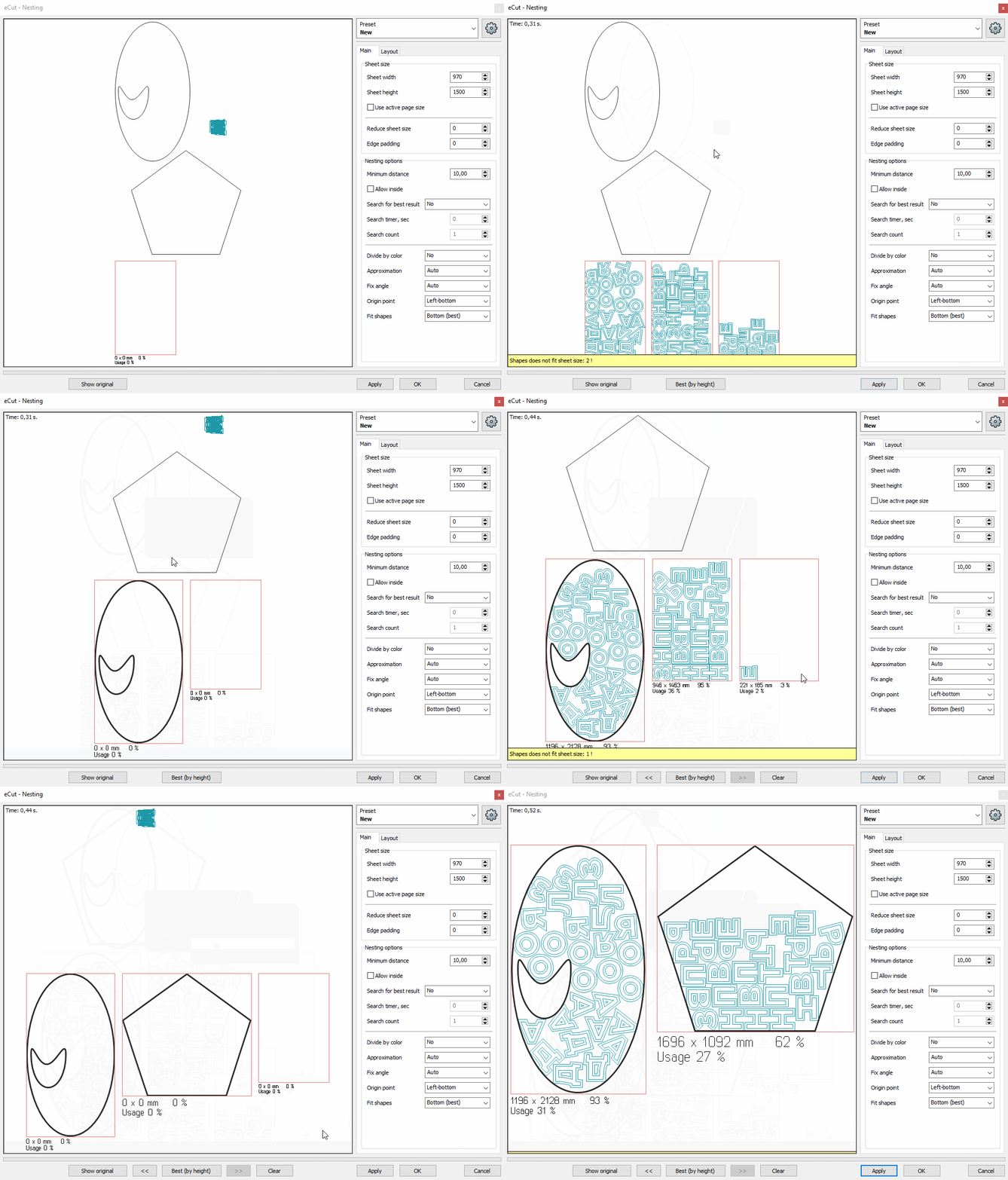
Product screenshots from eCut function 00 (true-shape nesting) — not stock mockups.


See all nesting functions · Full feature list · Applications
Straight answers for shops evaluating eCut nesting in India.
eCut nesting software is a CorelDRAW plugin that automatically places and rotates shapes on a sheet using true-shape algorithms so vinyl, acrylic, ACP, and plywood shops waste less material.
Typical shops see about 15–30% less sheet waste versus manual layout, depending on part mix, sheet size, and spacing rules.
eCut nesting runs inside CorelDRAW X3 through CorelDRAW 2026 on Windows with VBA enabled. There is no separate macOS nesting app.
Genuine eCut with nesting is ₹8,500 with coupon ECUTINDIA (MRP ₹12,000). Need a GST invoice? Checkout can route you to FixeSoft at ₹9,999 incl. GST.
Lifetime license ₹8,500. Free remote setup. Trial available before you buy.